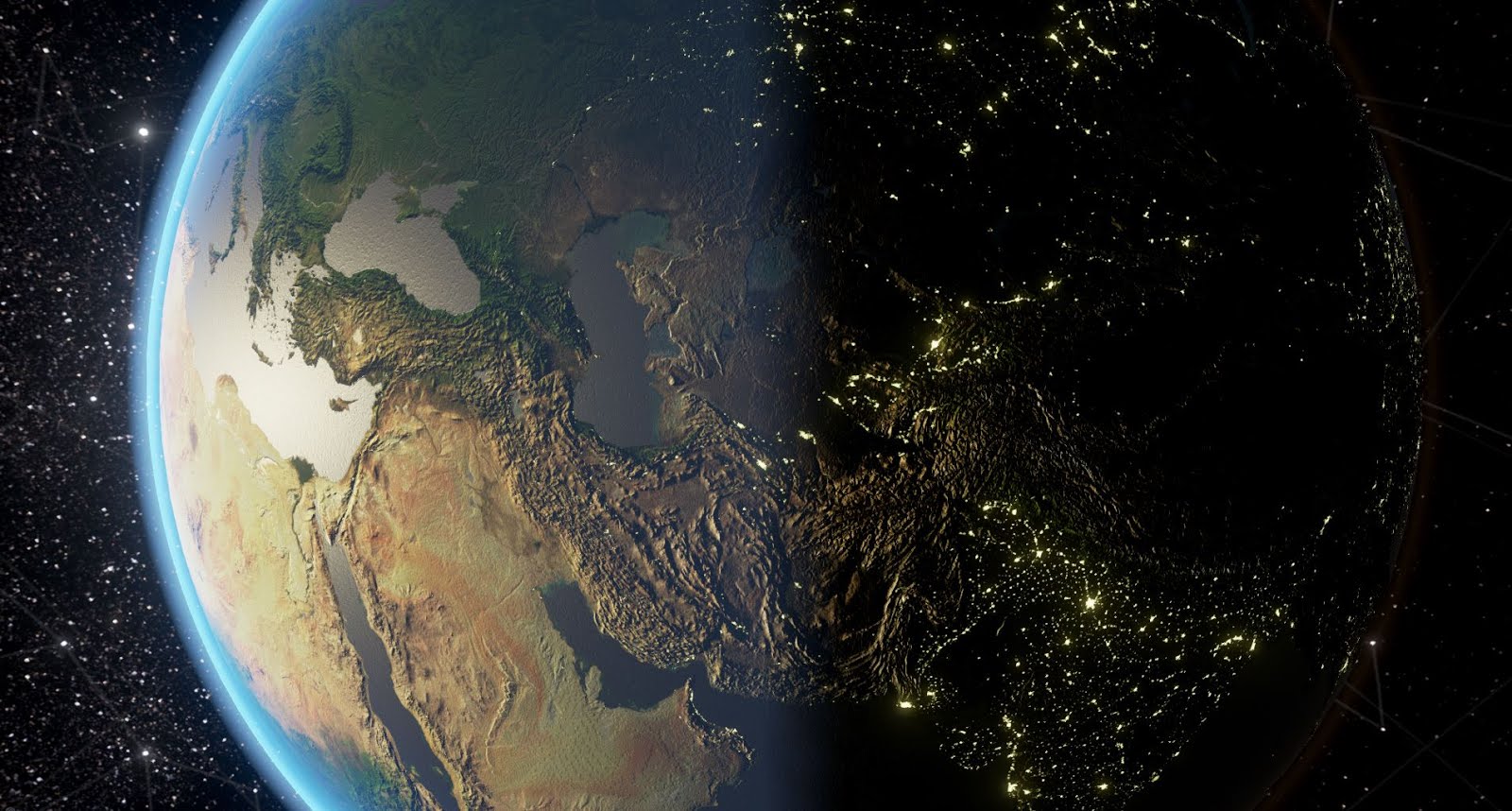
According to conspiracy theorists, Solar Warden is an ultra-secret project that maintains a fleet (or several fleets) of spaceships that are operating within our solar system. Some say they’re defending us against alien threats.
This is the Development Blog of Dan Tracy's Indie Title - Solar Warden. Follow him as he chronicles his solo development of his Unreal 4 title.
So for January I've been working on some Wormhole tech and got pretty far with it.
These wormholes are not the usual 2D Portals that you see in "Portal" or all of those other tutorials out there for Unreal, but rather more like the move "Interstellar" with a 3D singularity. I wanted to make it feel like the Player or other objects are being pulled into the Singularity and then spat out at the destination that I am rendering in real time. Since the tech worked out really well for a First Person Shooter mechanic, I may in the future release a different Indie title that focuses on this bit of Tech.
Since making this tech, I've also ported it over to Solar Warden and got it working for the most part with the Space Ships.
For the game, this will be near End Game technology that the Player will unlock so they may travel quickly around the Planet rather than using their Mag Drive, as well as an important plot point in the story (NO SPOILERS!)
This last week I've been working on setting up the Dissolve Gradients for UE4 marketplace. Since this was something I wanted and needed for Solar Warden for the Damage Shaders on the hull of the ship (and for later effects like Shield Destruction).
I figured that other projects would be able to utilize this as well. As of yesterday, I've submitted these over to Unreal Martketplace and now waiting to hear back.
Description
Create Dissolving or blending materials from these master material templates. Include any color you wish to the dissolving gradient by changing the parameters on the fly. Noise Maps can either be computational for high quality, or put into a noise map texture to save on performance. Noise maps can also be animated. Examples include melting metal, corrosive acid, dissolving Water/Bubbles, even Ice and Lavastone material examples included. Perfect for Damage Shaders, Weapons/Spells, Enviroments, VFX, etc.
Technical
Number of Materials:
- 5 Material Functions
- 3 Dissolve Master Materials
- 1 Basic PBR Material for reference
- 30 Dissolve Instanced Materials
Do Materials derive from a Master Material with instances as variation: (Yes/No):
- Yes
Number of Textures:
- 19
Texture Resolution (complete list):
- Noise Maps are 1024x1024
- Hull textures are 1024x1024
- Lava Stone textures are 2048x2048
Engine Compatibility:
- UE 4.13 and later
Intended Platform:
- Windows, Mac, Consoles
Platforms Tested:
- Windows (Win 7x64)
Documentation Included: (Yes\No)
- No; Material Parameters are self descriptive
Important\Additional Notes:
- Highly-customizable
- Noise Maps can either be computational or set as a texture to save on performance
- Gradients do not require textures and can be switched on the fly
- Possible Animated shader
- Swap out your PBR textures in Material Instance
- Dissolve can also be used to blend between PBR Textures.
Modular Weapons! - This back end writing on the weapon system has allowed me to split the weapons into the following modules for me to play with.
Charge Modes
Fire Modes
Shot Modes
The reason for making this whole system was mainly to allow me to create new weapons easily and efficiently. So what do these modules open up? Well, here's what I can do now with each of them.
Charge Modes
None
Press and Hold
Fire and Forget (Press once and charge happens automatically)
Fire Modes
Single (Semi-auto)
Burst (Length of shooting time on Beam)
Full Automatic (Continuous Shooting with Beam)
Shot Modes
Single Shot
Shotgun (X projectiles)
Beam
Allowing for a mix and match of any of these above + any projectile I wish, this allows me to make the bulk of common or unique weapons out there with these simple modes. For example I made a few here on the Player's Ship - Ion Beam and Burst Fire Missiles....
Ion Beam and Burst Fire Missiles
This system doesn't just work on the Player, but also the AI as well! In the next update, I'll show this working on the Grub to have him barf out a Fusion beam at the Player!
(reference)
But it doesn't stop here. Tons more weapons I'm planning on making...
Blast Cannon (Automatic Shotgun)
Gauss Cannon (Fire and Forget Sniper Rifle)
Prismatic Laser (Beam Shotgun)
Ballistic Gatling (Press and Hold Charge + Automatic shooting)
Laser Gatling (Press and Hold Charge + Automatic Beam)
Heavy Laser (Press and Hold Charge + Continuous Beam)
It's fun to look back and compare where you've been to where you are now.
While setting up Blogger and pulling over my 50+ Development updates of old, I realized how powerful it is to keep track of all of this. From my old days of Developing for Mech Warrior: Living Legends and heading that project, I already knew how important keeping up with those monthly news letters were for the fan base. However, Solar Warden is a completely different beast. Since I'm currently doing 100% of the work, it's really easy to just lose myself in just creating and developing without the need to document or chronicle the work being done, or write down about the lessons learned. Alot of times I felt myself digging deep into developing a feature and not really getting anywhere and it gets hard to come back to the same problem every day to see that problem that once defeat you waiting for you... watching you... However, I'm super glad I kept a small journal alive and made sure to write up the progress of each long work session (even if they turned out to be 2-3am). It really helped to remind myself of the progress I've made and a little bit of a confidence boost to push through the current problem and move onto the next.
Much like a hiker reaching lookout points and being able to see back down the mountain from which they came, I feel a huge sense of a accomplishment seeing just how much the project has changed and improved since my first builds in Unreal and also how much I've learned just by figuring all this stuff out on my own. I feel more encouraged than ever to spur on and reach the top of this mountain and bring Solar Warden to it's gold standard (to which I plan to push for perhaps a tentative February release. Don't quote me here :) ).
As a fun aside, I took the very first screenshot of development and made a comparative screenshot with my recent build just to see the difference between March and October. After standing back and seeing the difference, I must admit I giggled a little bit. But see for yourself.
I'd also like to take this time to tell anyone looking at doing game development to remind them that these journals are super important. Maybe you don't want to share them publicly, and that's totally fine, but build on and keep the discipline of writing development journals for yourself. Why? The reason is simple. It's always great to look back and remind yourself how far you've come and what you did. We Game Developers craft experiences, and an Experience is the sum of it's parts. It's a great pick-me-up and reminder of what these parts once were and where you've taken it from there. Also who knows, you may one day pass this knowledge onto other people that will greatly appreciate it and apply it to their projects in the future.
Progress Update 10/4/2016:
- Fucking Lights! Cast Shadows SPENSIVE! So I had about like 10+ lights on the ship and wow I didn't realize how expensive shadow casting in Unreal is. Then again, they aren't differed lights and are probably full Dynamic. So what ever :D
-- I changed these lights all over to non-shadow casting, and went from ~26 FPS back to 114 FPS. LOL omg. My game runs too smooth
-- A side effect currently with the FPS being super fucking amazing shit hot or terrible (114 FPS or <30 FPS) is that Ticks are frame dependent. Herp-derp I guess that's obvious. However, what kinda isn't is that all the tick functions I do are also frame dependent. Meaning that all the functions that run off tick will run super fast with high frame rate or super slow with low frame rate.
- Found this Cvar "t.MaxFPS 60" to lock the FPS
-- I like the idea to push for a 60 FPS gameplay
TODO: Setup a fixed timestep for Tick Functions to 60fps assumption.
- Got Space Particles working. These are the ambient space dirt particles to give the impression that the player is traveling in different directions.
TODO: Video or GIF showing
- Tweaked up intensity of Milkyway (looks better)
- Changed cubemap of skylight to grey again for better low light visibility.
TODO: Tweak again and get a better cube map?
NOTE: Random screenshot before closing out for the night. It's a good sign that on a random frame of gameplay is screenshot worthy.
Progress Update 9/30/2016:
- Ran into a bug with Aim Offset when trying to setup the lasers
-- This might be the cause of missing shots at extreme angles :( TODO: Fix Aim Offset
Progress Update 10/2/2016:
- Fixed with Aim Offset being done now in world space as was being done in the Debuging of the raycast. I have since moved it to the weapons since the Aim Offset Relative was added with the Ship's rotation relative to camera which caused further offset than what I wanted BUG: beams render a frame behind and don't use local space :(
Progress Update 10/3/2016:
- Workaround for Beam rendering a frame behind. Instead of using Unreal Particle Beams, I'm doing the MWLL trick of spawning geometry and then stretching it along one axis to achieve the effect.
-- Down side is I don't get the nice gradient of the laser beam material since I'm using a cylinder. I might consider switching back to a plane and then rotate it to camera like Beams do (isn't this just recreating beams though?)
--- I made a kind of work around for this too where I have tripled up the "inner white cores" within the outter cylinder and then had an opacity drop on the White Core material. This overlap on the differently scaled cores gives an illusion of a gradient being there for the laser, but might be expensive for the long run with alot of overlapping transparency...
TODO: Profile Lasers Transparency
TODO: Might eventually go back to Beams and look at how I can set these up with Simulated actors since the PFX on beams is much easier to make cooler beams than to do it with the geo.
Progress Update 9/30/2016:
Been really falling behind on these. I'll get back to this on the weekend. In the mean time.
- Birthday vacation
- Been playing around with FL Studios for songs (Placeholder ones??)
- Setting up lighting on the Player's Ship
Progress Update 9/18/2016:
- Been working on some new Alien concept models and came up with the "Grub" here.
-- This guy will be barfing out a Fusion Beam Laser after I get the weapons working the way I want.
Progress Update 9/2/2016:
- WIP PDI with Defense Grid.
TODO: Omg... need to setup 240 individual grid points :(
TODO: Oct 10 - Will need to revisit this since I've changed the lighting in the level now and this really isn't visible much anymore.
NOTES: This texture method overlapping works!
So I dunno, I don't quite dig this kind of setup. I'm trying to show a "Defense Grid" from this kind of view to should which areas have been covered by either Ground Telescopes or by Satellites. I'm not really sure if this is readable yet. I might have to come up with something else.
Progress Update 8/27/2016:
- WIP PDI Overview 2
-- Icons and the like TODO: Make News Ticker run across whole bottom TODO: Shrink Earth population and isolate it a bit more
Progress Update 8/27/2016:
- WIP PDI Overview (UMG is taking awhile....)
I'm finding UMG really slow to work with. Probably because it's almost like web designing in HTML... well maybe not that bad. I just find that everthing is so maticulous to the point where it feels tedious. Perhaps I'm just spending too much time on it and not coming back to the fun stuff in development.
However, it is fun to look back onto UMG and see it come together with that I've outlined in the doc :)
- Cleaned up Geo for Zenith Station
-- Create BP for Zenith Station with Name Marker.
Progress Update 8/16/2016:
- WIP 3D CityMarkers - Look much better, but need to find a better way to setup the light shafts
TODO: Animations for idle, hover, selection, return to idle.
- WIP Asteroid Impact 3D Markers - Look interesting, but not quite digging it. Will need to fiddle around with them.
Progress Update 8/14/2016:
- WIP PDI design doc to be used as the blueprints for the PDI layout
Because I thought it was important to keep some documentation of what I wanted for the PDI and how the player will interact with it.
- Also started working on the 3D version of the city markers to improve the visuals TODO: Create 3D markers for Asteroid Impacts
Unrelated TODO: I also want to revisit the Player's flight HUD and create markers on the HUD that show speed/rotation.
Mockup:
Progress Update 8/12/2016:
Would've posted earlier but was bogged down by business crap
- Normal Map Place on Earth which works for both Real and PDI versions
- Also tweaked cities to glow a little more with bloom and also tweaked the colour to be more deeper orange
Progress Update 8/10/2016:
- WIP PDI Intro 3
-- Lots of work with Ground texture multiplied when PDI is on
-- Country borders with some replaceme label
-- New animated texture for City Markers
-- Wireframe shrank to be showing only water
-- Dither Opacity on Main Ground texture using Spec and Opacity Mask to show ground and half ocean
-- Added Basic Zoom function TODO: Need Displacement or Normal map for the Planet to bring out the detail more
Progress Update 7/31/2016:
- WIP PDI Intro 2
-- Fixed up some rotational issues with the initial planet intro to PDI interface
-- Found out about the Possession before Camera Blend bug
-- Added Continent outlines
-- Added Wireframe Scanning
-- Setup basic PDI pawn to rotate around Earth
-- Created Citymarker UI actors to be placed on the planet
Progress Update 7/25/2016:
- WIP MagDrive
-- Finished up the basic Stages for MagDrive Logic
-- Have the MagDrive slow you down when you reach the Waypoint
-- Have some Placeholder particle Effects for SPPPPEEEEEEEDDDDD
TODO: ReplaceMe Particles for MagDrive travel
TODO: Allow for Cancel of MagDrive (any early out - User Triggered, Collision (detection?), etc)
TODO: Remove Debug Info and place into Ship HUD for Messages
TODO: Better logic on displaying waypoints. Should Waypoints be seen if behind Earth??Created logic to hide them